在chromeos安装linux版qq
为chromeos安装linux环境
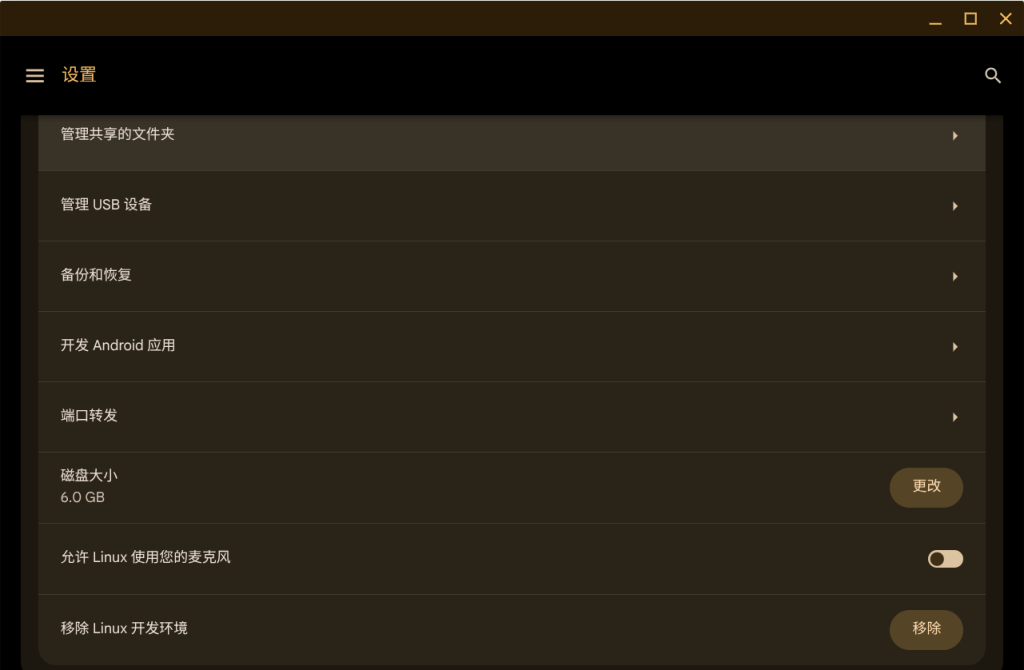
点开设置打开linux,为其分配空间,尽量大一些
下载qq的安装包
https://im.qq.com/linuxqq/index.shtml下载后会得到一个.AppImage文件,把它放在linux文件夹里,一定要创建一个文件夹在根文件夹里,我在里面创建了一个名为qq的文件夹,且把安装包该名为qq.AppImage
安装
首先打开Vim
cd qq然后为其添加权限
chmod +x qq.AppImage请为其安装环境,依次输入一下命令
sudo apt updatesudo apt install libnss3sudo ldconfig运行
然后就可以尝试运行
./qq.AppImage就能正常运行
By Shany Jin/闪耀金金
2025/10/25
在chromeos安装linux版qq
https://blog.shany.cc/archives/chromeos-qq